

If you no longer use your gym membership or want to reduce your monthly expenses, canceling your Planet Fitness membership may be the right decision. However, before ending your subscription, you should understand the cancellation process, billing deadlines, possible fees, and the documents you may need.
Many members are unsure whether they can cancel online, through the mobile app, by phone, or by visiting their gym. The good news is that Planet Fitness provides multiple ways to end a membership, although the available procedures may vary depending on your home club and local regulations.
In this guide, we will explain how to cancel a Planet Fitness membership step by step. You will also learn how to cancel without visiting the gym, whether cancellation fees apply, how to avoid another billing cycle, and what to do if your cancellation request is not processed.
Can You Cancel a Planet Fitness Membership?
Yes. Planet Fitness allows members to cancel their memberships through several methods. According to its official customer service information, you can submit a written cancellation request by mail, visit your home club in person, or log in to your online member portal when the cancellation option is available.
The most important thing to understand is that your home club is generally the best place to handle membership and billing questions.
Before starting the process, check your membership agreement and billing dates. This can help you avoid unexpected charges and understand whether an early termination fee applies.
How to Cancel Planet Fitness Membership: 3 Main Methods
There are three main ways to cancel a Planet Fitness membership. Choose the method that works best for your situation.
1. Cancel Planet Fitness Membership Online
Canceling online can be a convenient option because you do not need to visit the gym or send a physical letter.
Follow these steps:
- Visit the official Planet Fitness website.
- Open the member login page.
- Enter your registered email address and password.
- Access your membership account.
- Look for the membership management or cancellation option.
- Follow the instructions displayed on the screen.
- Submit your cancellation request.
- Save the confirmation message or take a screenshot.
Important: Online cancellation availability can depend on your membership type, home club, and applicable local requirements. If you cannot find a cancellation option, contact your home club and ask which alternative method you should use.
You can start by visiting the official Planet Fitness Customer Service page.
2. Cancel Your Membership In Person
If online cancellation is unavailable, visiting your home club is another straightforward option.
Your home club is the Planet Fitness location where you originally registered for your membership.
Here is what to do:
- Visit your original Planet Fitness location.
- Speak with a customer service representative or front desk employee.
- Explain that you want to cancel your membership.
- Ask whether you need to complete a cancellation form.
- Provide the information required to identify your membership.
- Complete and sign the cancellation request.
- Ask for written confirmation or a copy of the completed form.
Keep the confirmation somewhere safe. It can help you resolve any future billing disputes.
Pro Tip: Do not leave the gym without asking when your cancellation will become effective and whether another payment is scheduled.
3. Cancel Planet Fitness Membership by Mail
If you have moved to another city, relocated for work, or cannot visit your original gym, sending a written cancellation request by mail may be a practical alternative.
The third-party resource HowToCancelPlanetFitness.com also explains this method and provides a cancellation-letter generator.
Follow these steps:
- Find the mailing address of your home club.
- Write a formal membership cancellation letter.
- Include your full name and membership information.
- Clearly state that you want to terminate your membership.
- Add your contact information.
- Sign and date the letter.
- Mail the request to your home club.
- Keep the mailing receipt and tracking information.
Using certified mail or another tracked delivery service is a good idea because it provides evidence that your letter was delivered.
Remember that the date your club receives the request may matter more than the date you send it.
What Should You Include in a Planet Fitness Cancellation Letter?
Your cancellation letter should be short, clear, and professional. You do not need to provide a lengthy explanation for leaving.
Here is a simple example you can customize.
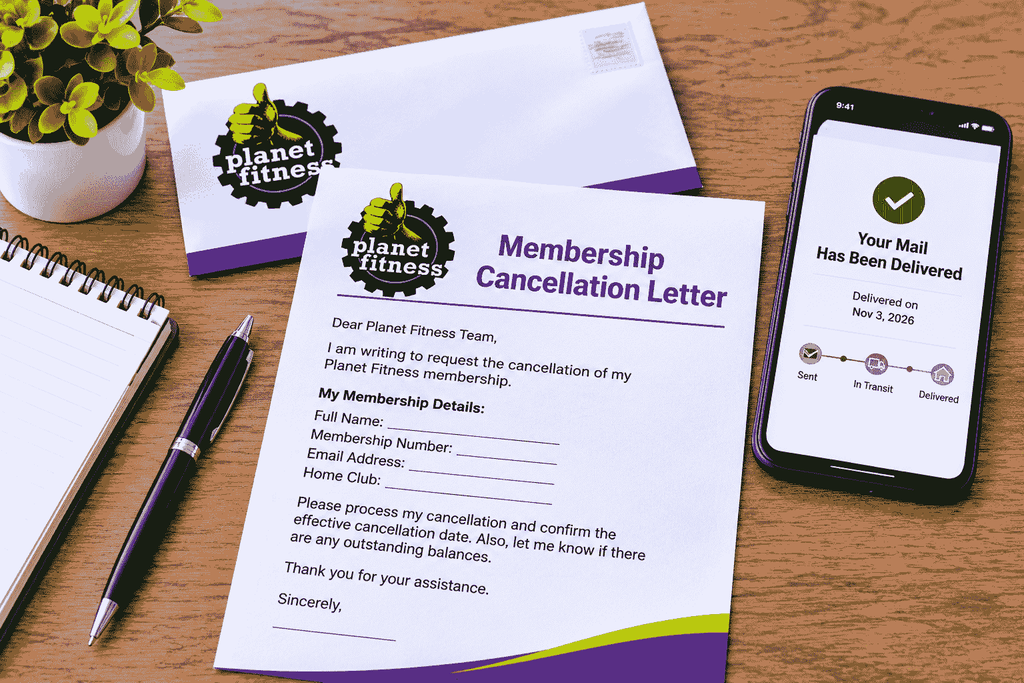
Planet Fitness Membership Cancellation Letter
Subject: Request to Cancel Planet Fitness Membership
Dear Planet Fitness Team,
I am writing to request the cancellation of my Planet Fitness membership.
Please find my membership details below:
- Full Name: [Your Full Name]
- Membership Number: [Your Membership Number]
- Registered Email: [Your Email Address]
- Phone Number: [Your Phone Number]
- Home Club: [Your Planet Fitness Location]
I kindly request that you process my cancellation and confirm the effective cancellation date. Please also let me know if there are any outstanding balances or additional charges.
Thank you for your assistance.
Sincerely,
[Your Full Name]
[Date]
Before mailing your letter, make sure the information matches the details registered with Planet Fitness.

Can You Cancel Planet Fitness Membership Through the App?
This is one of the most common questions among Planet Fitness members.
Although the PF App allows you to manage certain membership details, view billing information, and make payments, the official cancellation instructions specifically mention the website member portal, visiting your home club, and mailing written notice.
Therefore, do not assume that deleting the app or removing your payment information will cancel your membership.
If you cannot find a cancellation option online, contact your home club to confirm the correct procedure.
How Much Does It Cost to Cancel Planet Fitness?
Cancellation costs depend on the membership agreement you signed.
Some memberships have no minimum commitment, while promotional or commitment-based memberships may include an early termination fee.
Here are some important points to understand:
No-Commitment Membership
If your membership does not have a minimum commitment period, you can generally cancel without an early termination fee.
However, you may still need to pay any outstanding membership dues or other amounts already owed under your agreement.
Minimum-Term Membership
If your membership includes a minimum contract period, canceling before the end of that period may result in an early termination or buyout fee.
Planet Fitness’s published customer service information currently mentions a $58 buyout fee for ending certain minimum-term memberships early.
Always check your own membership agreement because the terms and applicable requirements may vary.
Annual Membership Fee
Another important expense is the annual membership fee.
Canceling your monthly membership does not necessarily mean that an annual fee already due will automatically be refunded or avoided.
Check your annual fee date before submitting your cancellation request.
Planet Fitness Cancellation Deadlines: What You Need to Know
Understanding cancellation deadlines is essential if you want to avoid another payment.
According to Planet Fitness‘s official customer service information, you should cancel at least seven days before your next billing date to stop the next monthly membership payment.
You should also submit your cancellation request at least seven days before your annual fee date to prevent that fee from being billed.
Some independent cancellation guides describe additional billing cutoffs, such as the 10th of the month for monthly drafts and the 25th of the previous month for annual fees.
However, these dates should not be treated as universal rules for every Planet Fitness location. Your actual billing schedule and membership agreement should take priority.
Best advice: Log in to your member account, check your billing dates, and submit your cancellation request as early as possible.

How to Cancel Planet Fitness Membership Without Going to the Gym
Not everyone can visit their original Planet Fitness location.
For example, you may have moved to another state, changed jobs, or relocated far away from your home club.
Fortunately, you may be able to cancel without making a physical visit.
Consider these options:
Option 1: Use the Online Member Portal
Log in to the official Planet Fitness website and check whether your account provides a cancellation option. If available, follow the instructions and save your confirmation.
Option 2: Send a Written Cancellation Letter
Prepare a cancellation letter and mail it to your original home club. Consider using a tracked mailing service so you have proof of delivery.
Option 3: Contact Your Home Club
If you are unsure which method applies to your membership, contact your original club and ask for specific cancellation instructions.
These options can save you time and help you avoid unnecessary travel.
Can You Cancel Planet Fitness Over the Phone?
Calling Planet Fitness can be useful when you need information about your membership, payment schedule, or cancellation requirements.
However, a phone conversation should not automatically be considered a completed cancellation.
The official customer service information directs members to the online member portal, written notice by mail, or an in-person visit to end a membership.
If you call your club, ask them to explain the accepted cancellation process and how you can receive written confirmation.
What Happens If You Stop Paying Planet Fitness?
Some members consider simply canceling their debit or credit card payments instead of officially ending their memberships.
This is not a recommended solution.
Stopping payments does not necessarily terminate your membership agreement. Your account may continue to accumulate unpaid dues or other charges.
Depending on your agreement and the club’s policies, unpaid balances may create additional problems, including collection activity.
Instead of blocking payments, submit a proper cancellation request and ask for confirmation that your membership has ended.
You should also review your next billing statement to make sure no unexpected charges appear.
How to Cancel Planet Fitness Black Card Membership
Planet Fitness Black Card memberships generally follow the same basic cancellation procedures as other membership types.
You can check your online member portal, visit your home club, or send a written cancellation request by mail.
Before submitting your request, review your Black Card membership agreement.
Pay attention to:
- Whether your membership has a minimum commitment period.
- Whether an early termination fee applies.
- Your next monthly billing date.
- Your annual fee date.
- Any outstanding membership balance.
If you want to keep using Planet Fitness but reduce your monthly expenses, you can also ask your club about downgrading your membership instead of canceling it completely.
How to Confirm Your Planet Fitness Membership Is Canceled
Submitting a cancellation request is only one part of the process. You should also confirm that the membership has actually been terminated.
Here are some useful steps:
- Request written cancellation confirmation.
- Save your cancellation email or confirmation document.
- Keep your mailed letter receipt if you canceled by mail.
- Check your online membership account.
- Review your next billing statement.
- Contact your home club if another payment appears unexpectedly.
Having proper documentation can make it easier to resolve any problems.
Common Mistakes to Avoid When Canceling Planet Fitness
Many people experience unnecessary billing issues because they overlook a few important details.
Avoid these common mistakes:
1. Waiting Until the Last Minute
Submitting a request too close to your billing date may result in another monthly charge. Check your deadline in advance.
2. Canceling at the Wrong Location
Your original home club is generally the appropriate location for cancellation questions and requests.
3. Deleting the PF App
Removing the mobile app does not terminate your membership.
4. Ignoring Your Annual Fee Date
Your annual fee has a separate deadline. Check it before requesting cancellation.
5. Not Keeping Confirmation
Always save proof of your request and confirmation that the cancellation was processed.
6. Blocking Your Bank Payment
Stopping automatic payments does not necessarily end your membership agreement. Complete the official cancellation process instead.
Frequently Asked Questions (FAQs)
1. How to cancel Planet Fitness membership online?
Log in to your account through the official Planet Fitness website. If your membership supports online cancellation, follow the instructions and save your confirmation. Otherwise, contact your home club for alternative methods.
2. Can I cancel Planet Fitness membership through the app?
The official cancellation instructions list the website member portal, in-person cancellation, and written notice by mail. The PF App is not listed as a separate cancellation method.
3. Can I cancel Planet Fitness without going in person?
Yes. You may be able to cancel through the online member portal or send a written cancellation request to your home club.
4. Is there a cancellation fee at Planet Fitness?
No-commitment memberships generally do not have an early termination fee. However, certain minimum-term memberships may require a $58 buyout fee if canceled early. Check your agreement.
5. How long does Planet Fitness cancellation take?
Processing times may vary depending on your home club, cancellation method, and billing schedule. Ask your club for the effective cancellation date and keep written confirmation.
6. Can I cancel Planet Fitness by email?
The official customer service information lists online member portal cancellation, in-person cancellation, and written notice by mail. It does not identify ordinary email as a standard cancellation method. Contact your home club to confirm whether it accepts email requests.
7. Can I cancel Planet Fitness after moving to another state?
You can contact your original home club and ask about canceling remotely. Online cancellation or written notice by mail may be available depending on your membership and applicable local requirements.
8. Will Planet Fitness refund my annual fee after cancellation?
A refund is not automatic simply because you cancel. Refund eligibility depends on your agreement, billing circumstances, and applicable state or local laws. Contact your home club for details.
9. What happens if Planet Fitness continues charging me after cancellation?
Contact your home club with your cancellation confirmation and payment records. Ask them to investigate the charge and explain whether a refund or billing correction is appropriate.
10. Can I downgrade my Planet Fitness membership instead of canceling?
Yes. Planet Fitness’s official customer service page says members can visit their club and ask a team member for assistance with downgrading their membership.
Final Thoughts
Canceling a gym membership should not be complicated when you understand the available options and important deadlines.
You can generally end your Planet Fitness membership through the online member portal where available, by visiting your home club, or by sending written notice through the mail.
Before submitting your request, check your membership agreement, monthly billing date, annual fee date, and any possible early termination charges.
Most importantly, keep written proof of your cancellation and verify that future billing has stopped.
By following these steps, you can manage your membership more confidently and avoid unnecessary charges.